Your cart is currently empty!

Host Verification in Bigo
Host verification is employed to confirm the host’s identity by uploading his/her ID and taking a selfie with it. This process is entirely safe and will only be seen by Bigo admins.
To ensure your data is safe and secure, upload your documents to the Creator Center as indicated in the following steps.
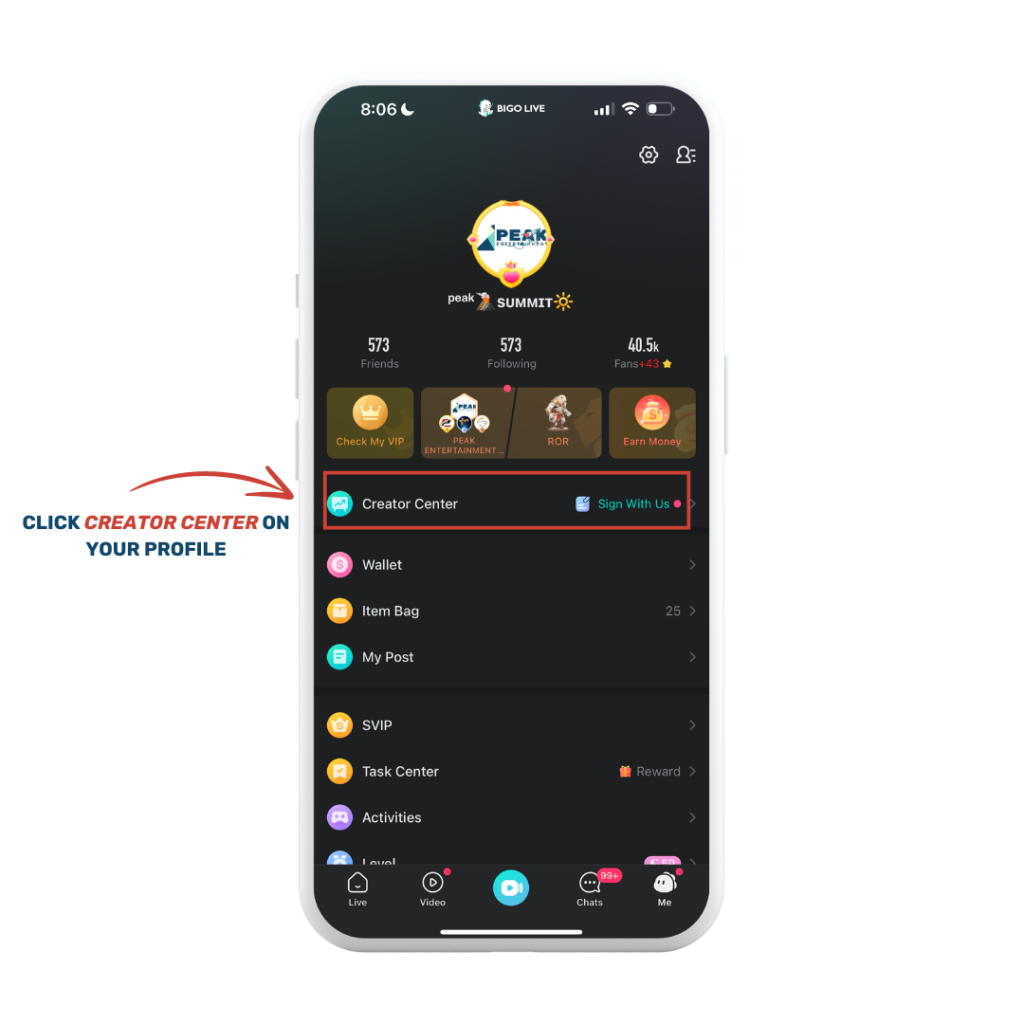
Step 1. Click Creator Center on your Profile
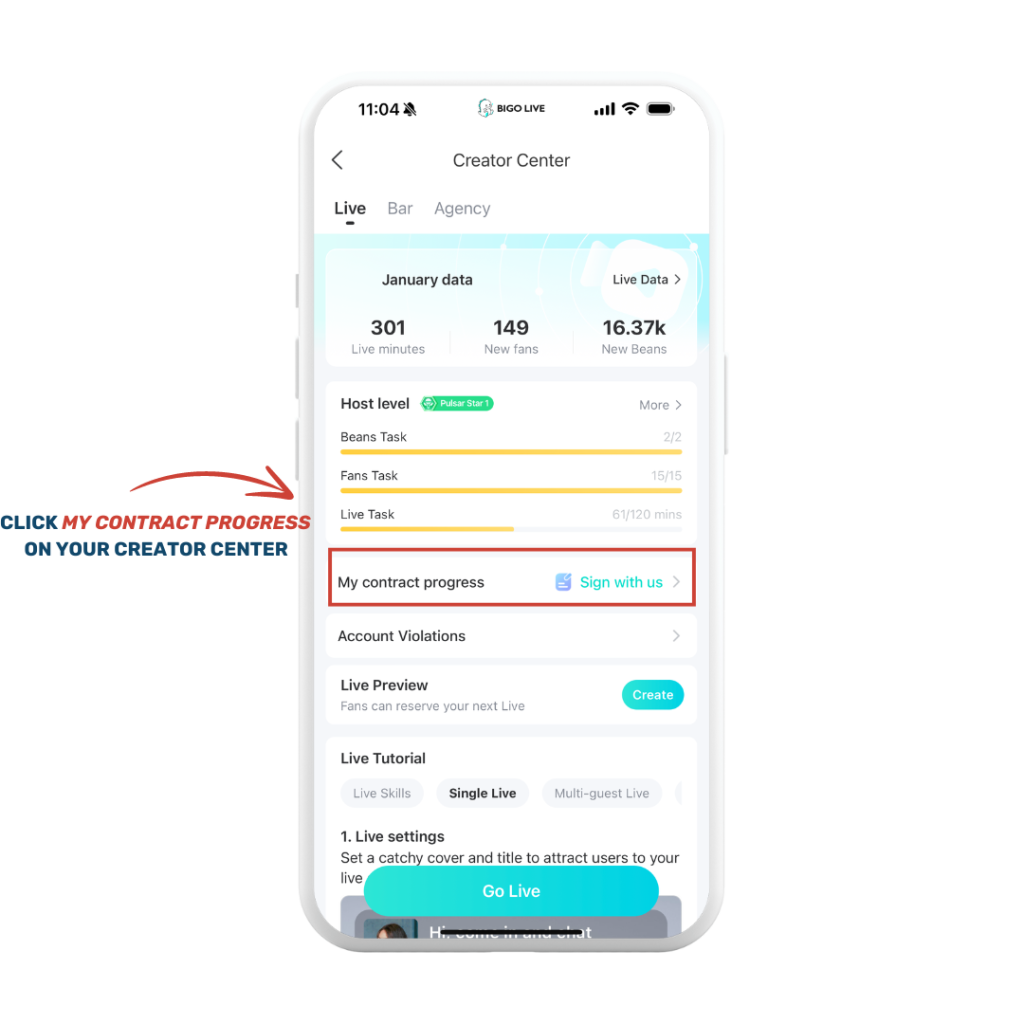
Step 2. Click My Contract Progress
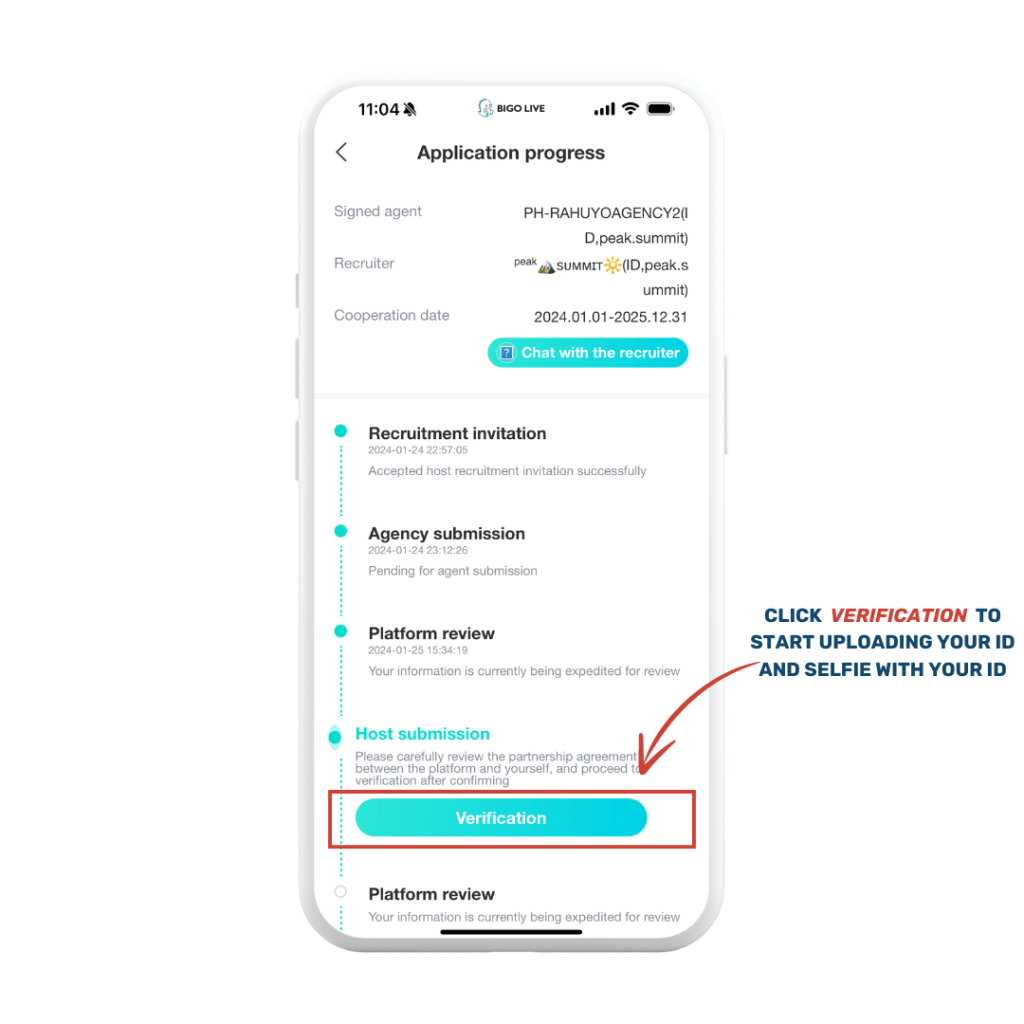
Step 3. Click the Verification Button

Step 4. Encode your mobile number and email

Step 5. Upload your ID and selfie

Step 6. Read the Signing Agreement

Step 7. Under Review
What are the IDs that can be uploaded?
- SSS Unified Multi-Purpose ID (UMID)
- Driver’s License
- Passport
- Philippine Identification (PhilID / ePhilID)
- PhilHealth ID
- Postal ID
- Voter’s ID
- Professional Regulation (PRC)
I don’t have any valid ID listed above. Can my school ID work?
As long as you’re 18 years old and your school ID indicates your birthday to prove your age, Bigo accepts the school ID.
Leave a Reply
You must be logged in to post a comment.